See what comes in.
And what Neo has handled.
See how many people get in touch, how quickly they get an answer and what it is about. Kaneo writes it in full sentences, so you can read it without interpreting charts.
- Calls, email and forms
- Compared with the previous period
- 7 days to 12 months
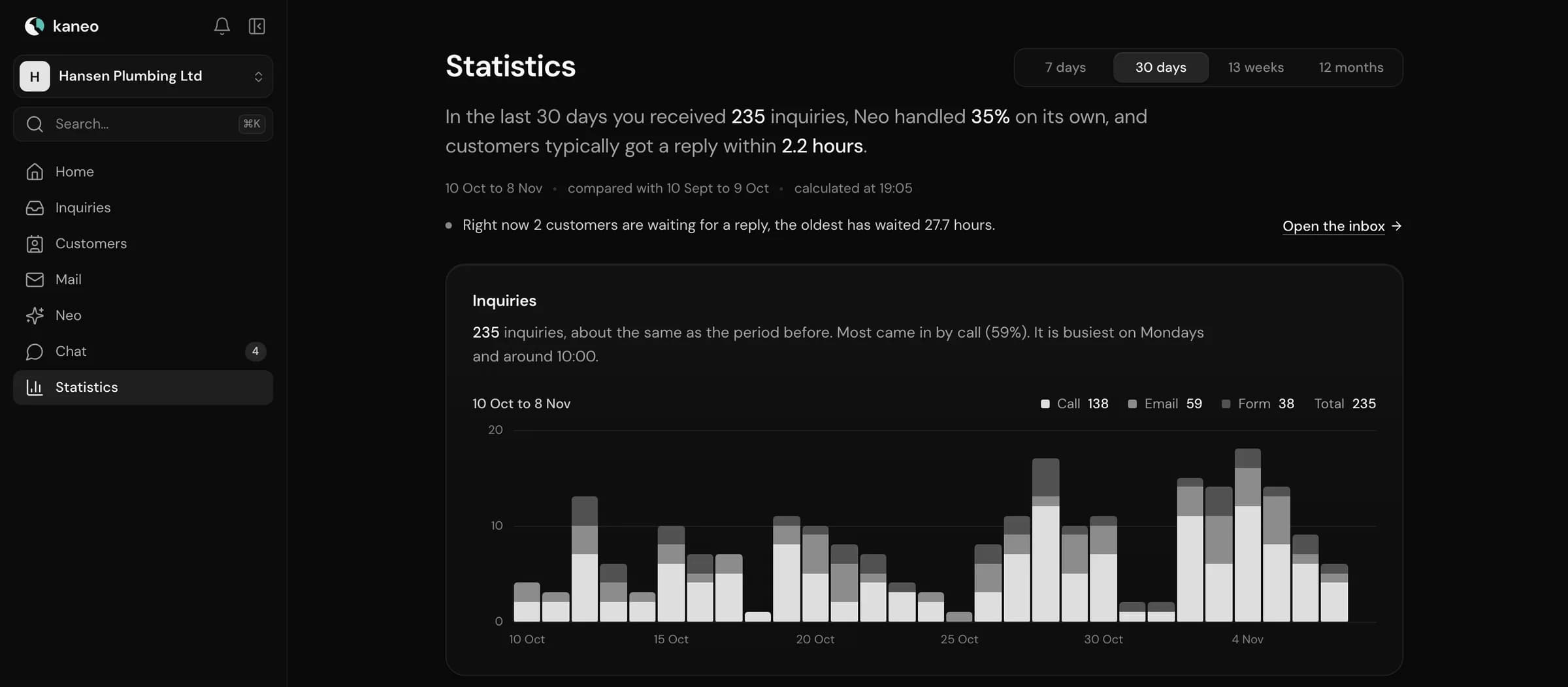
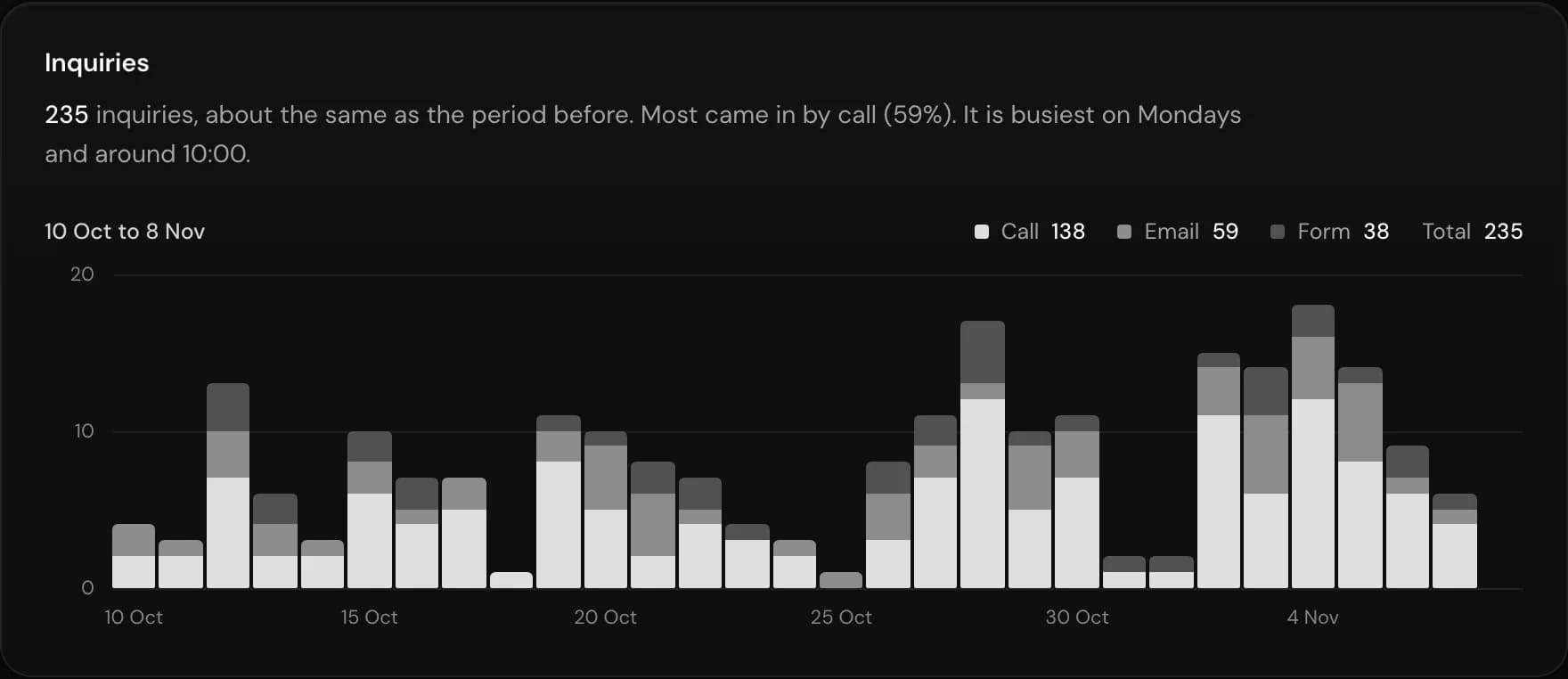
The whole inbox.
On one page.
Everything that comes in, in one place. Kaneo tells you what has changed since the previous period.
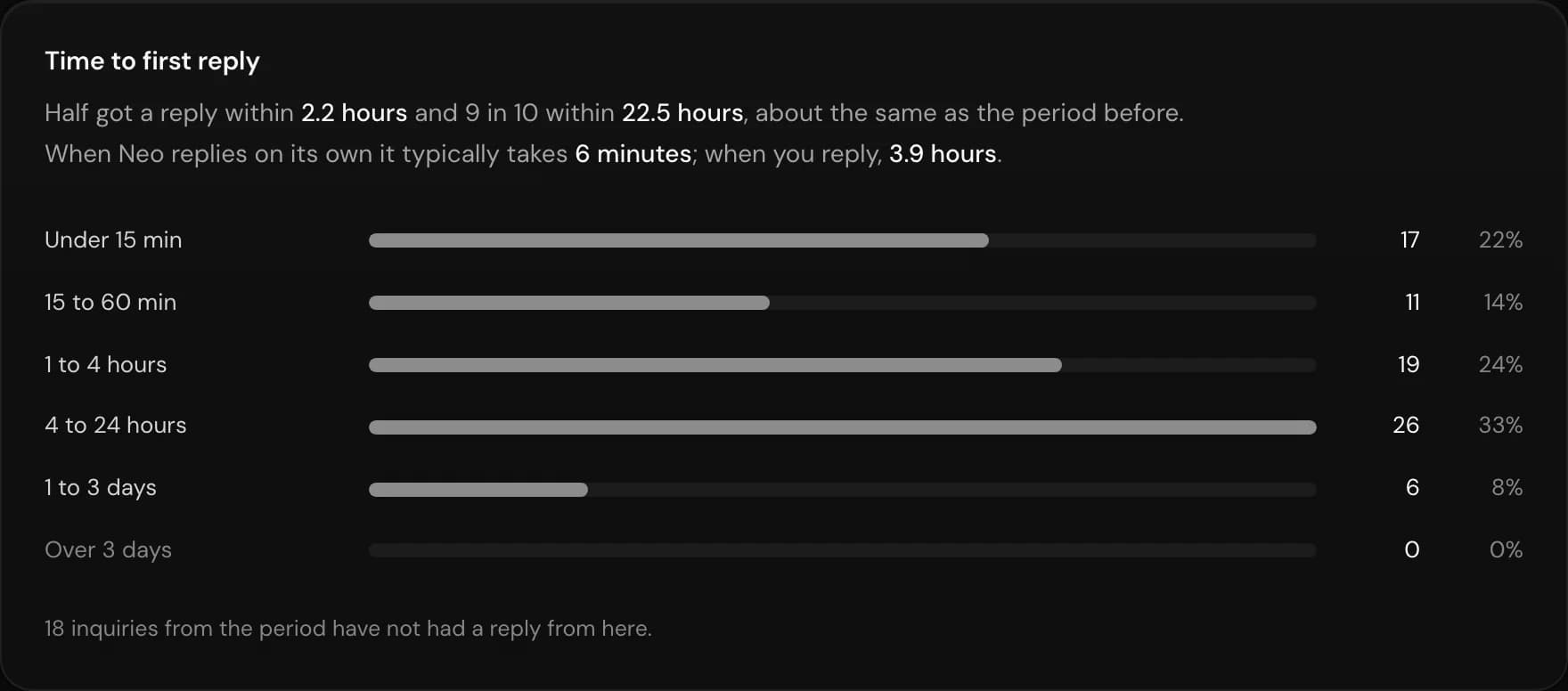
Time to first reply
See how quickly customers get an answer, and who hasn't had one yet.
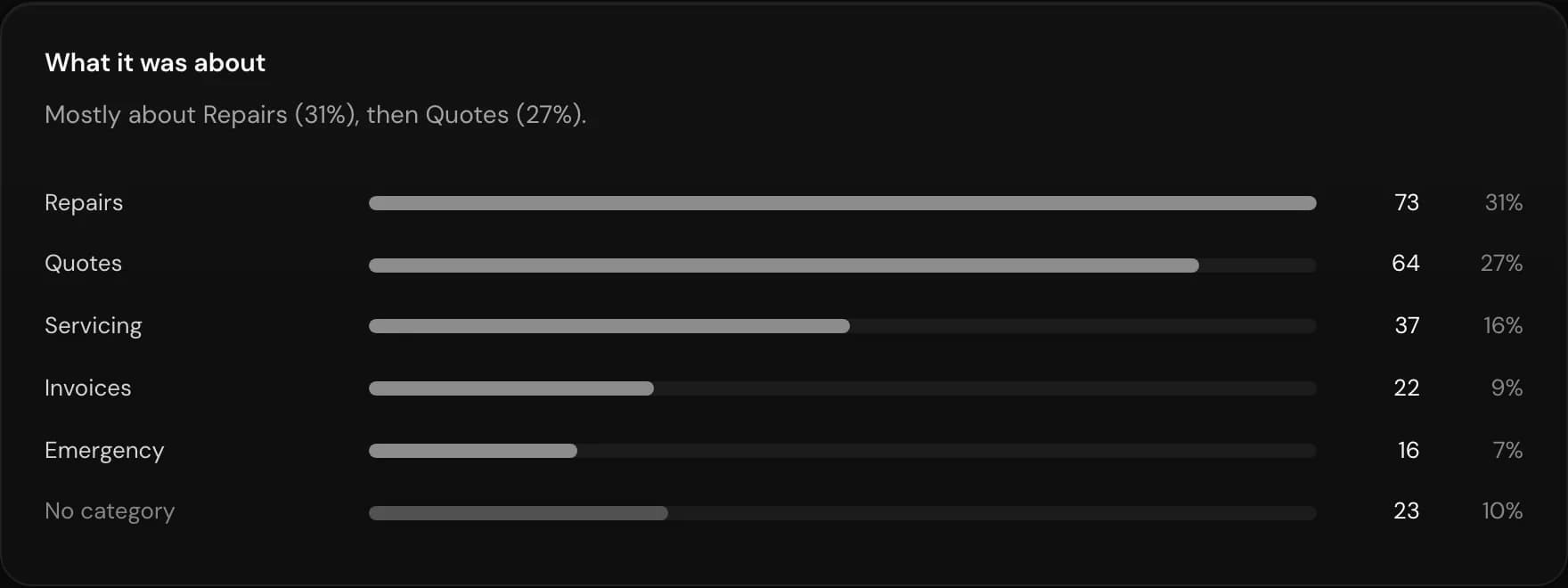
What it was about
Enquiries split by your categories, such as repairs, quotes and invoices.
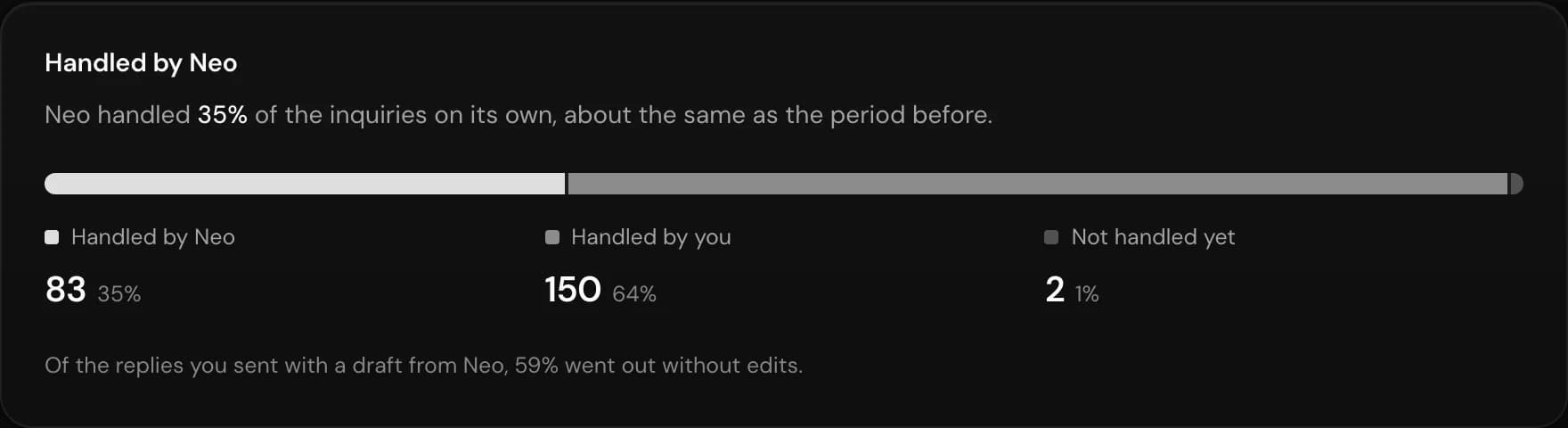
Handled by Neo
See what Neo handled, what you took yourselves and what is still outstanding.
What the phone
does for you.
With Kaneo Voice you get a page just about your calls: when the phone rings and how the conversations ended.
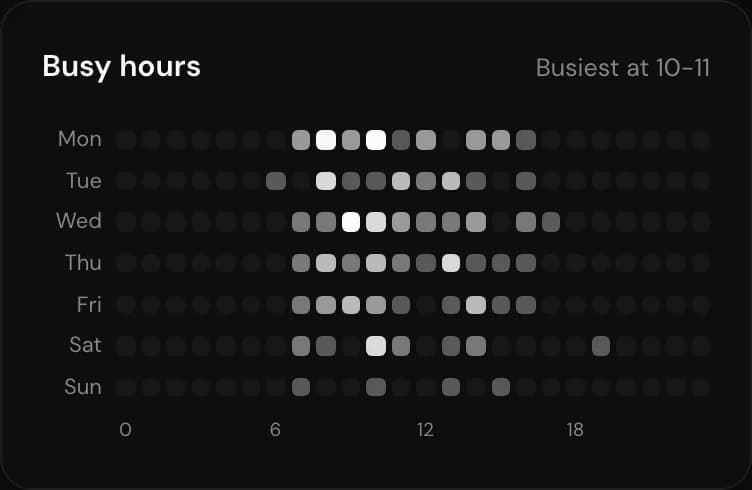
Busy times
See when the phone rings most, hour by hour and day by day.
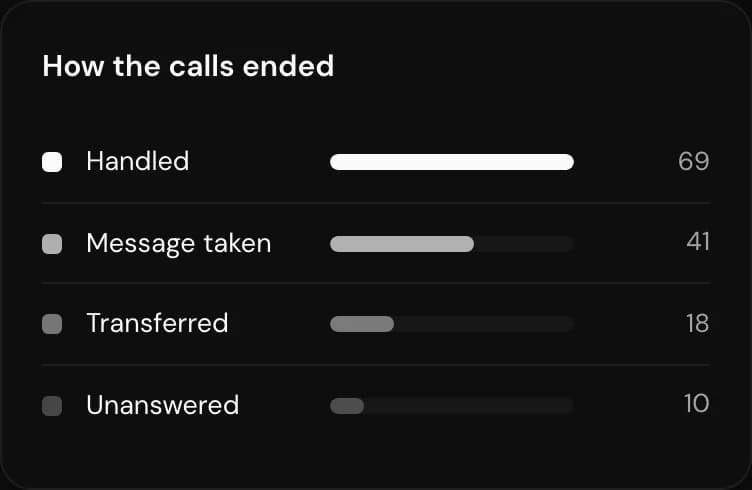
How calls ended
Handled, message taken, transferred or unanswered. All in one place.
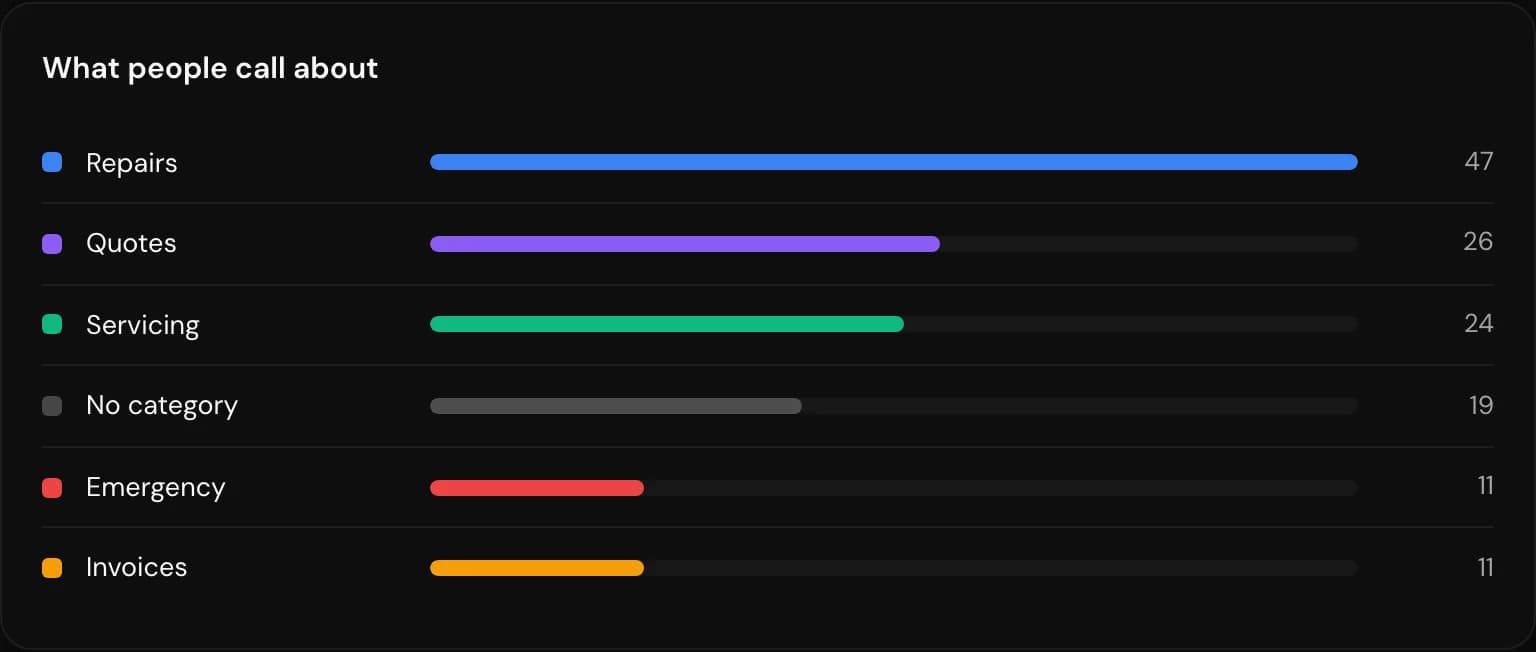
What people call about
Calls split by category, so you can see what customers ask about.
Minutes and time saved
Track usage in your billing period. Time saved is an estimate based on talk time, not a measured figure.


With Kaneo Voice
Neo statistics come included when you have an active line. The whole page is about your phone.
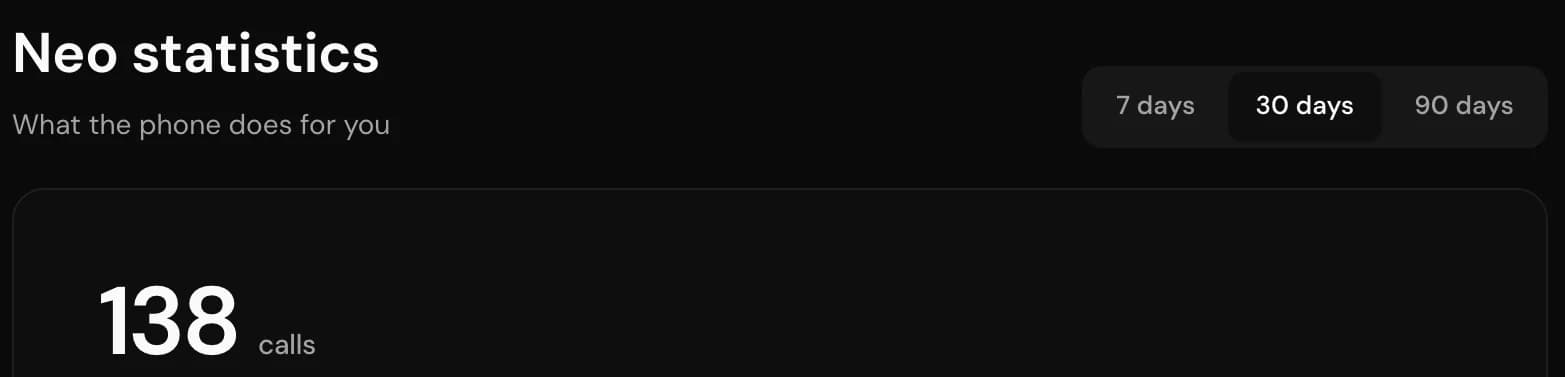
- Calls per day
- Busy times
- How calls ended
- Minutes used
With email and forms
The overall statistics show everything that comes in. They aren't available for Kaneo Voice alone.
The rest of Kaneo.

Let Neo take
the next one.
Neo answers the phone, drafts your emails and collects your contact forms. All in one inbox.
Questions? Write to kontakt@kaneo.dk