Customers book themselves.
Even on your days off.
Kaneo's own booking page and calendar are on the way, so customers can book online themselves. Neo already books in connected calendars over the phone today.
Your page.
Your rules.
Customers find an open slot themselves on your booking page. You decide what can be booked and when.
Your own booking page
A link like your-company.kaneo.dk, with up to 5 cover images, your colour and an About us section.
Services
Duration, price if you want, a break afterwards and a colour in the calendar. Turn them on and off.
Staff
With photo and role. Two customers can book the same time with different staff.
Your rules
Opening hours, notice, text reminder and maximum per day.
Text to the customer
Confirmation straight away and a reminder before the appointment, if you turn it on.
Move and cancel from Kaneo
If an appointment needs changing, you move or cancel it yourself in Kaneo.
All bookings.
In one place.
The calendar arrives together with the booking page. What customers book themselves and what Neo books sit in the same place.
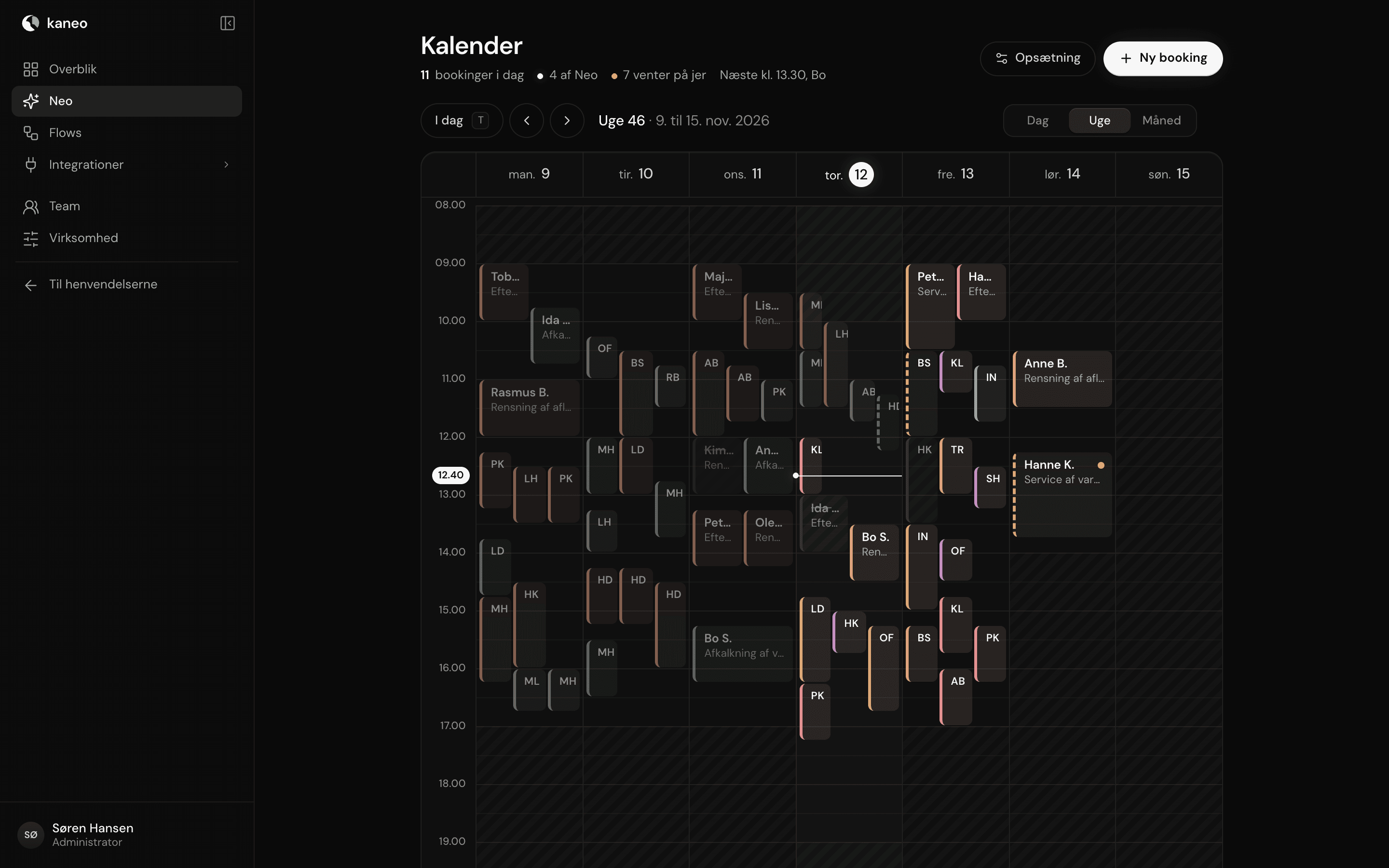
The whole week
See the week for all staff, with a colour for each service.
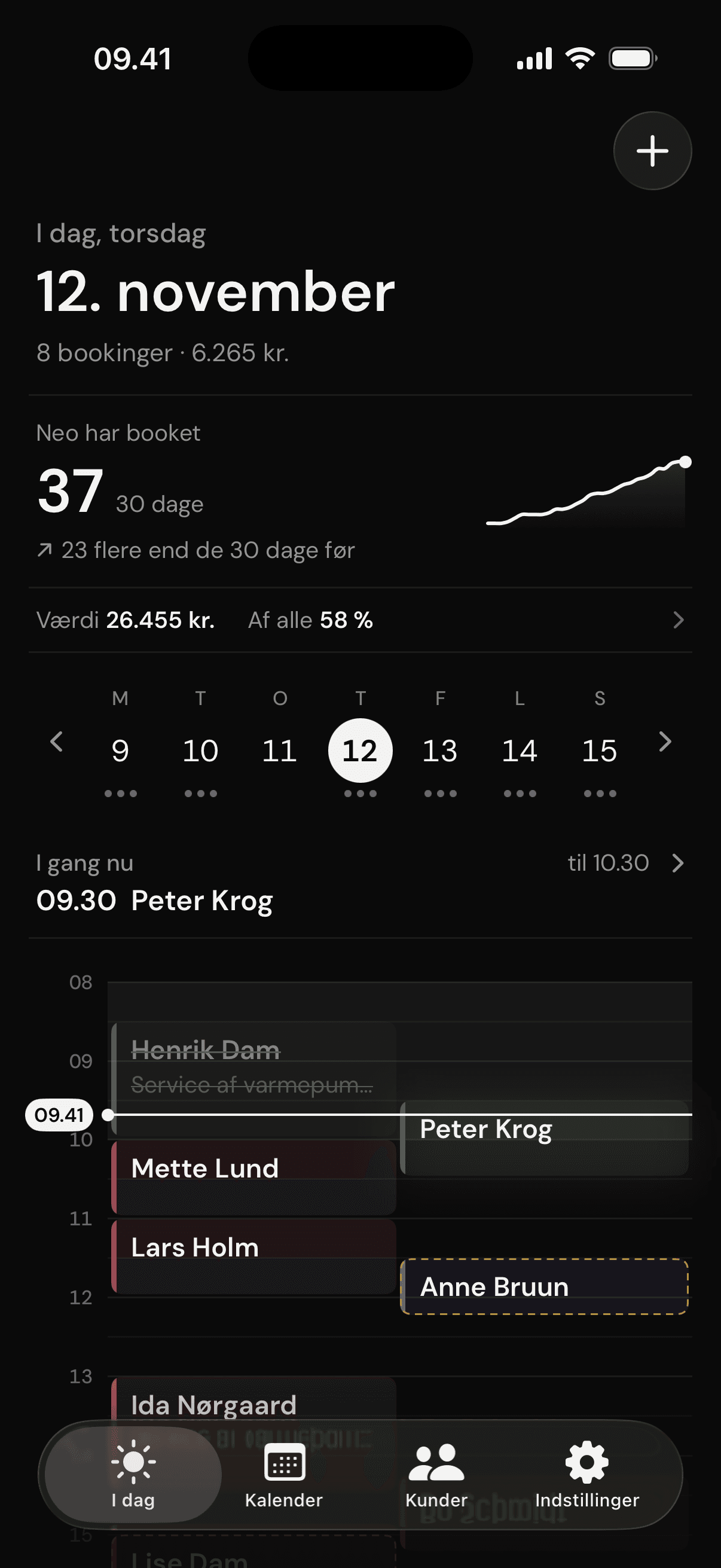
What Neo has booked
Neo already books in Google, Microsoft/Outlook and CalDAV, such as iCloud.
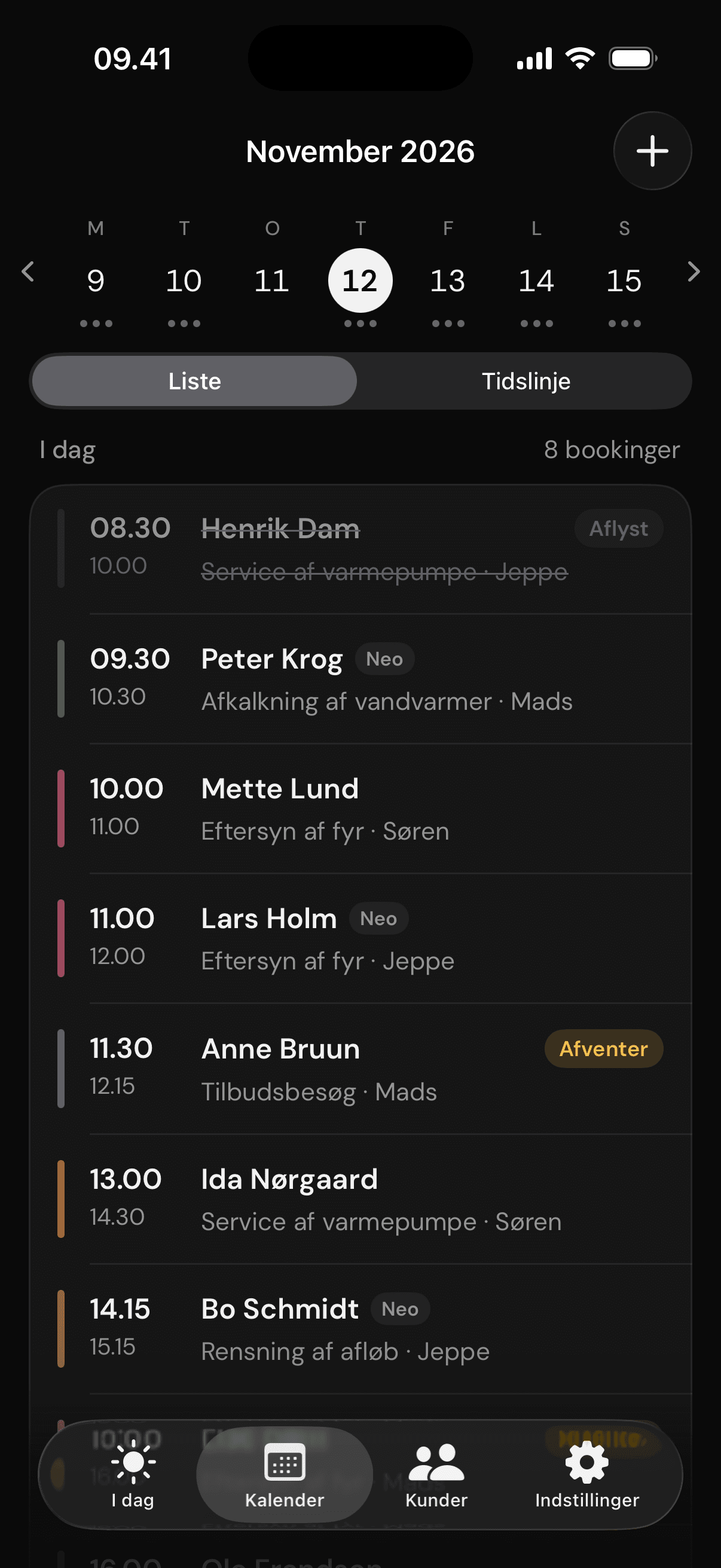
The day as a list
Time, customer, service and who is taking it.
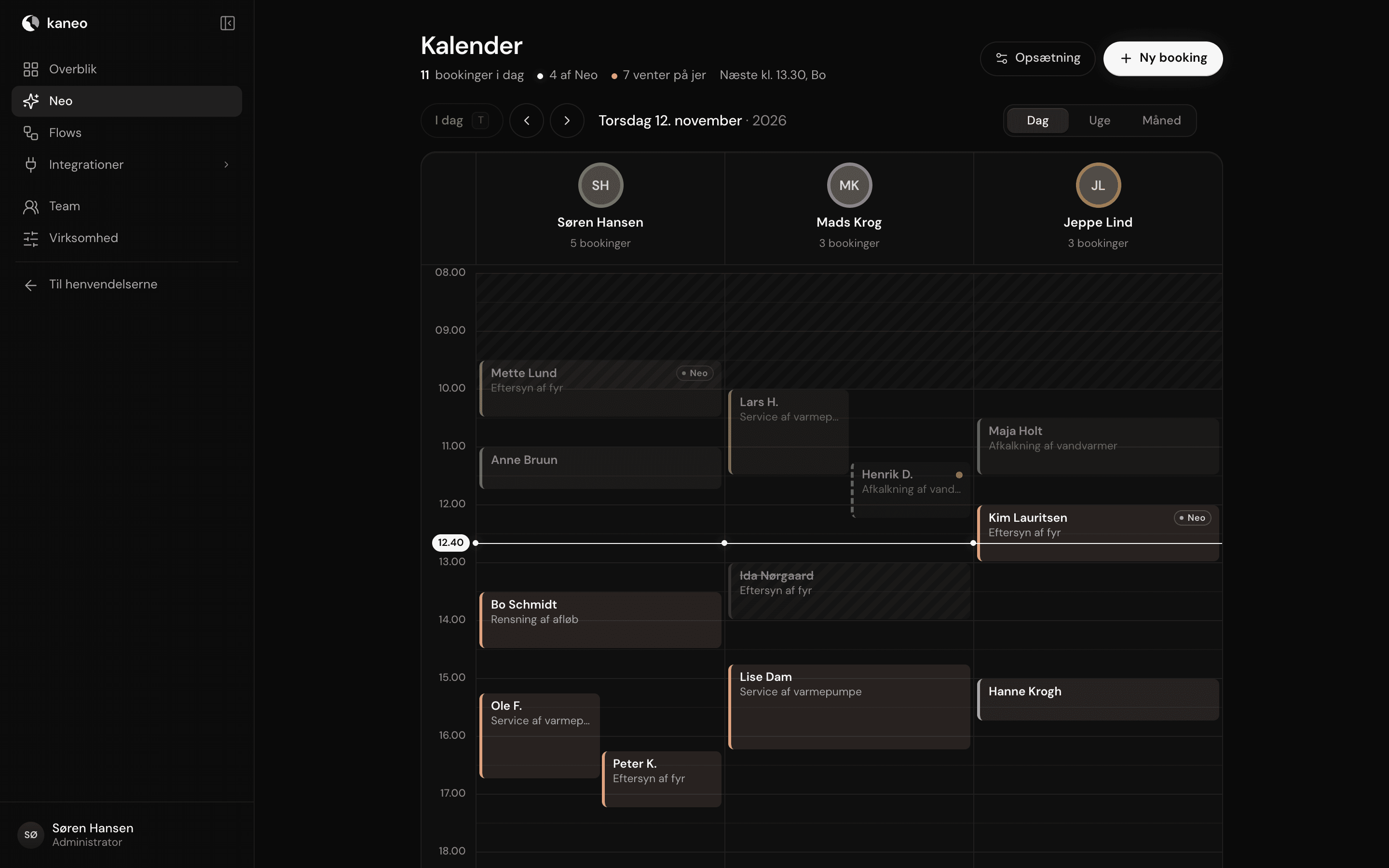
One column per staff member
The day split up, so you can see who is doing what and when.
The rest of Kaneo.

Join us
when it opens.
Sign up and you will hear from us when Kaneo's own booking is ready. Until then, Neo books in your calendar over the phone.
Questions? Write to kontakt@kaneo.dk